Overview
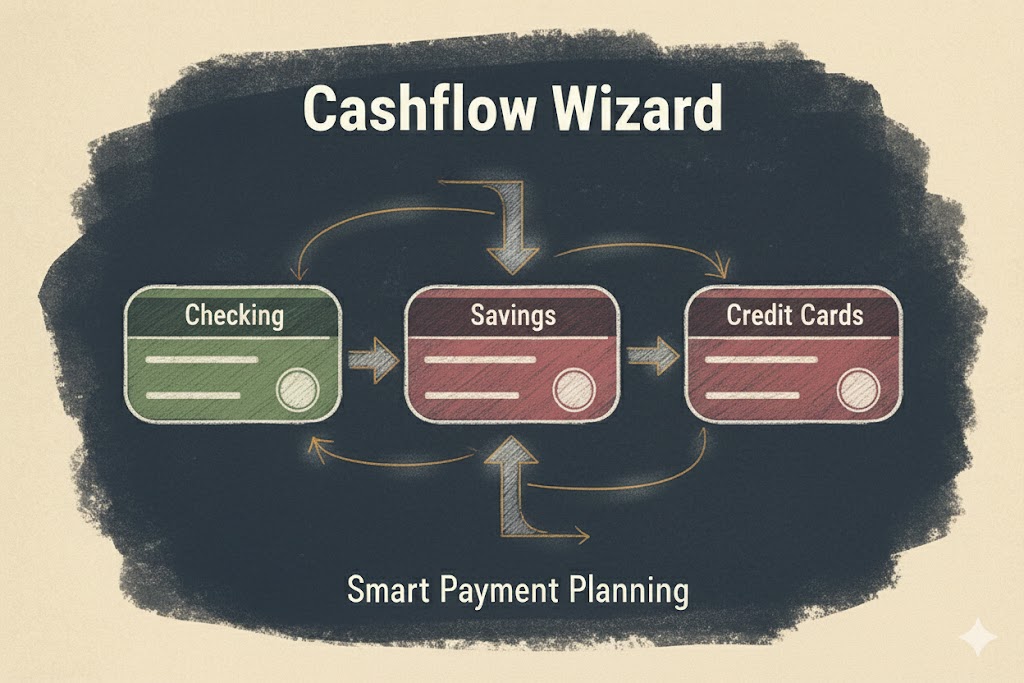
Cashflow Wizard is a smart personal finance manager that helps you optimize credit card payments and manage multiple accounts with ease. Managing multiple credit cards, bank accounts, and bills can be overwhelming. This tool simplifies it by providing a clear overview of all your accounts and helping you plan payments strategically.
Whether you need to decide which checking account to use for a credit card payment or track multiple bill payments across different sources, Cashflow Wizard gives you the visibility and control you need.
Design & Planning
Problem framing
[TODO: fill in all subsections]
Key design decisions
[TODO: fill in all subsections]
Architecture overview
[TODO: fill in all subsections]
Challenges & what I’d do differently
[TODO: fill in all subsections]
Key Features
Account Management
- Multiple Account Types - Manage checking accounts, savings accounts, and credit cards all in one place
- Real-time Balance Tracking - See current balances, credit limits, and available funds at a glance
- Credit Card Details - Track due dates, minimum payments, and interest rates for each card
Payment Planning
- Smart Payment Planner - Create payment plans from any checking/savings account to any credit card
- Payment Scheduling - Schedule payments with specific dates and descriptions
- Status Tracking - Mark payments as pending or completed, with automatic balance updates
Financial Insights
- Total Debt Overview - See your total credit card debt across all cards
- Available Funds - Track total available funds across checking and savings accounts
- Projected Balances - View how your balances will look after scheduled payments
- Money Flow Summary - Visualize where money is going from and to across all accounts
Data Management
- Auto-save - Your data is automatically saved to browser local storage
- Import/Export - Export your data to JSON files and import it back when needed
- Reset Option - Clear all data and start fresh when needed
User Experience
- Clean, Modern Interface - Built with shadcn-ui for a beautiful, responsive design
- Visual Account Cards - Easy-to-read cards showing account status and projected balances
- Color-coded Categories - Source accounts (green) and credit cards (red) for quick identification
- Toast Notifications - Instant feedback for all actions
Technology Stack
Built with modern web technologies for performance and developer experience:
- React 18 - UI library
- TypeScript - Type safety and better DX
- Vite - Fast build tool and dev server
- shadcn-ui - High-quality, accessible UI components
- Tailwind CSS - Utility-first CSS framework
- Radix UI - Unstyled, accessible component primitives
- React Hook Form + Zod - Performant form validation
- TanStack Query - Data synchronization
- Lucide React - Beautiful icons
- React Router - Client-side routing
Links
- GitHub Repository - Source code
- Live Demo - Try it out (hosted on Netlify)
How to Use
Adding Accounts
- Click the ”+” button to add a new account
- Select account type (Checking, Savings, or Credit Card)
- Fill in details like name, balance, credit limit, due dates
- Your account appears in the dashboard with real-time balance
Planning Payments
- Navigate to the Payment Planner section
- Select source account (where money comes from)
- Select destination account (credit card to pay)
- Enter amount, date, and optional description
- Schedule the payment and see projected balances
Managing Data
- All changes auto-save to browser storage
- Export data to JSON for backup
- Import data to restore or transfer between devices
Development
# Clone and install
git clone https://github.com/HuringdaCat/cashflow-wizard-68.git
cd cashflow-wizard-68
npm install

# Start dev server
npm run dev

# Build for production
npm run build
Built using the Lovable AI-powered development platform for rapid prototyping with automatic GitHub sync.
Status: Active Development | Created: September 2025